Step 1: Marker Image
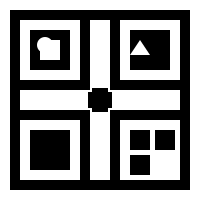
The marker image used for colocation:
Or upload a custom marker:
This tool compiles the marker image into a .mind file for MindAR image tracking on mobile browsers.
The marker image used for colocation:
Or upload a custom marker:
Click to compile the marker into a MindAR target file:
After compilation, download the .mind file and place it in IWSDK/public/marker.mind
You can also use MindAR's official online compiler:
https://hiukim.github.io/mind-ar-js-doc/tools/compile
Upload the marker image, compile, download targets.mind, rename to marker.mind, and place in IWSDK/public/.